Municipalities
Community hall, gym, school kitchen
Associations and groups find free times themselves instead of asking one by one. The administration keeps track of rooms and occupancy.
Room booking software from Austria
Community hall, common room, club room or meeting room: users see when a room is free and reserve it themselves.
What it looks like
Three steps as they happen for a municipality with five rooms – captured in Schedulify, not mocked up.
1Whoever books
The booking page shows all released rooms with their price per time unit. It runs on its own or embedded in your website.
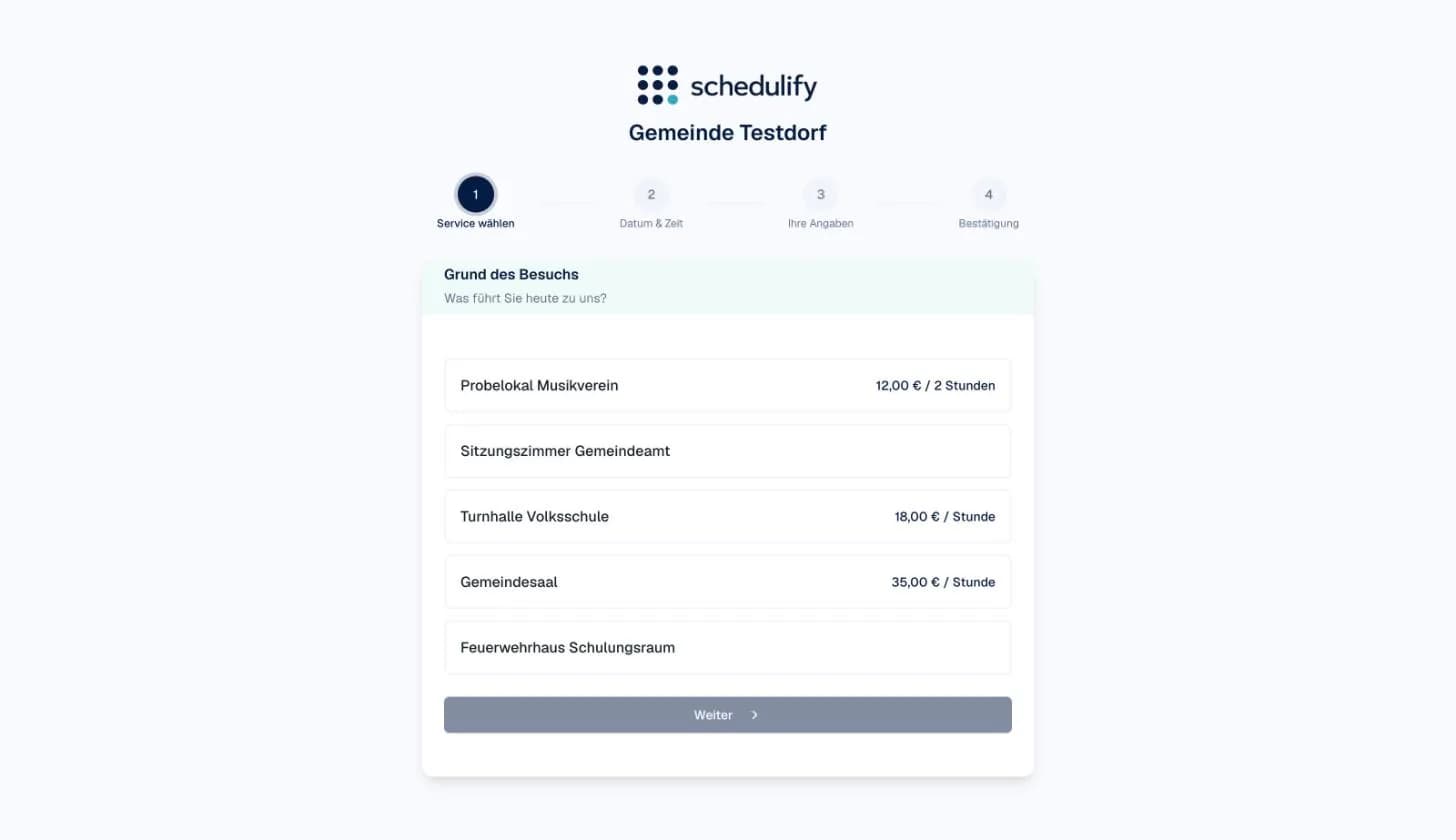
2Whoever books
Occupied times are missing from the selection and the total price is shown right away. Depending on the settings, the booking is made directly or submitted as a request.
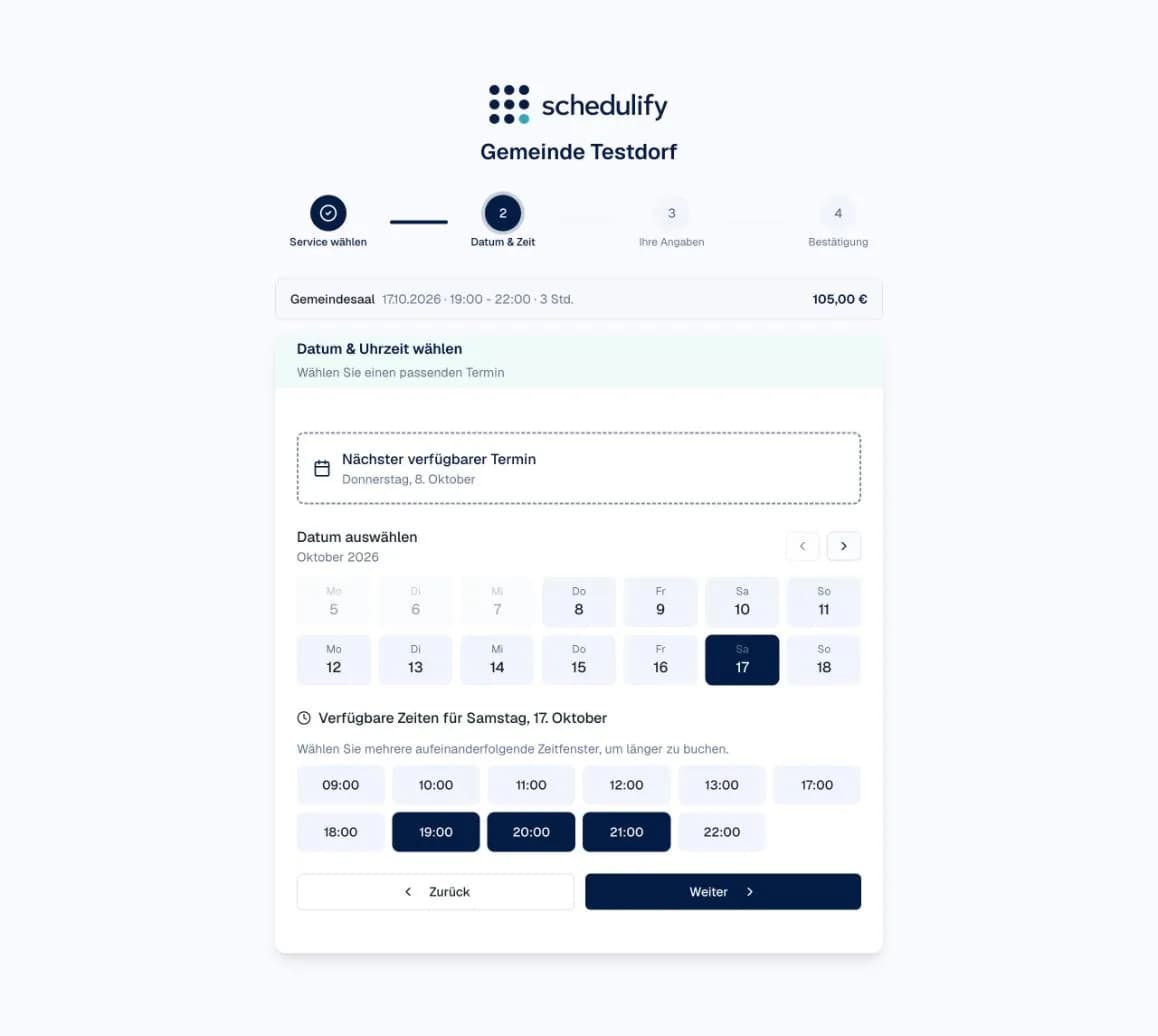
3Whoever manages
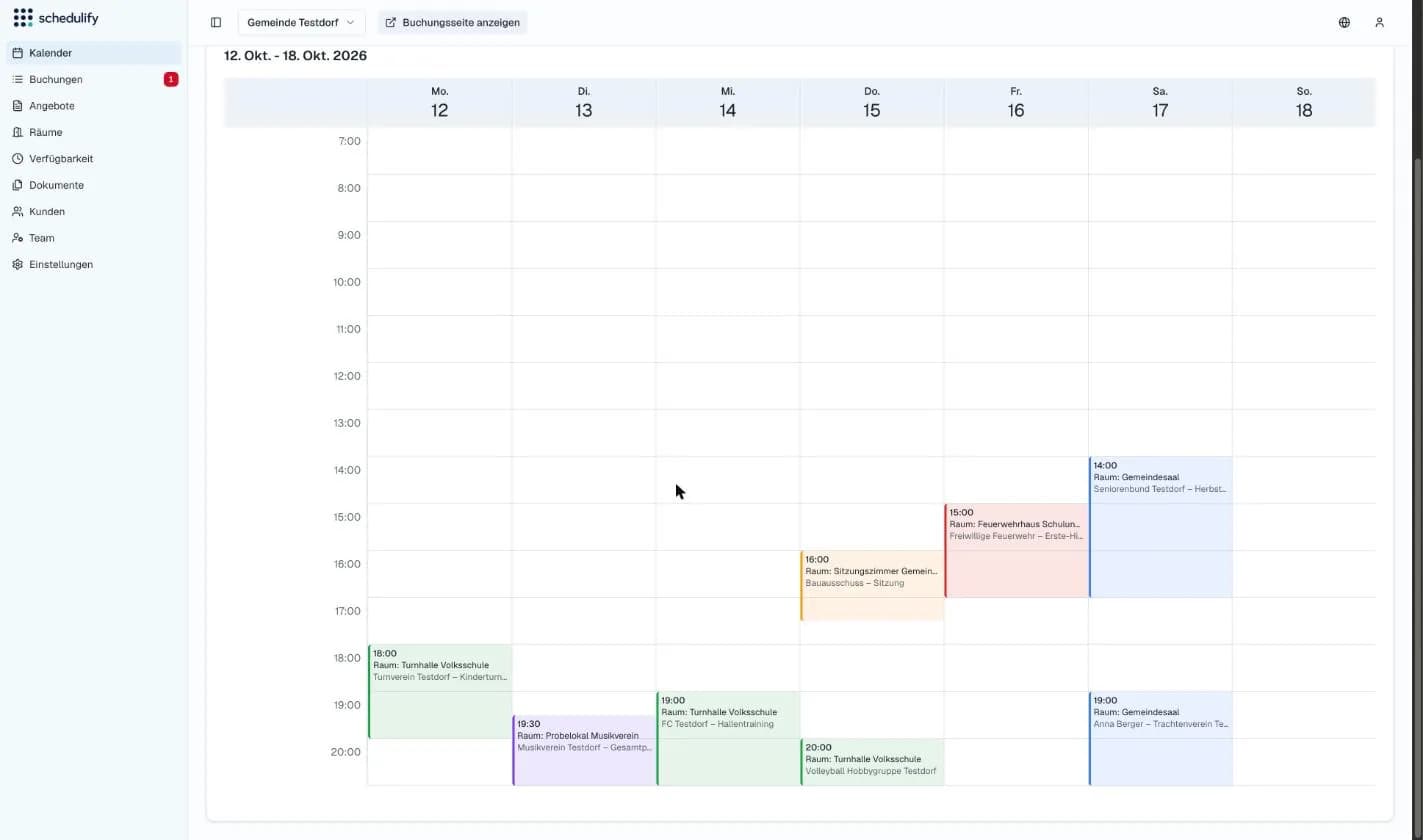
Trainings, rehearsals and meetings, each room in its own colour. The administration enters its own events directly, pending requests are marked.
Settings
Each room has its own bookable times.
Maintenance, holidays or your own events block the room.
Longer reservations across consecutive time slots.
Existing reservations are taken into account automatically.
Booking windows and further rules individually per room.
Your own booking page or embedded in your website.
Who it is for
Community hall, gym, school kitchen
Associations and groups find free times themselves instead of asking one by one. The administration keeps track of rooms and occupancy.
Common rooms, laundry rooms, guest apartments
Reservations online instead of on a notice board – with blocked periods and clear rules per room.
Club rooms, sports facilities, rehearsal rooms
One shared overview of all rooms – easy to use, even for volunteers.
Meeting and seminar rooms
No more double-booked rooms. Connected to your systems via API if you wish.
Package
Available on its own or as an add-on to Basic, Pro or Enterprise.
The price depends on the number of rooms, user groups, integrations and onboarding and training. What room booking costs for municipalities
On request
Enquire about room bookingThere is a dedicated page for municipalities with the process from the association's request to access, real views from the software and what room booking costs. For organisations with many user groups: Schedulify Enterprise with roles, approvals, rates and access systems.
FAQ
Take a look at the plans or book a no-obligation call. We are happy to show you Schedulify using your own example.